
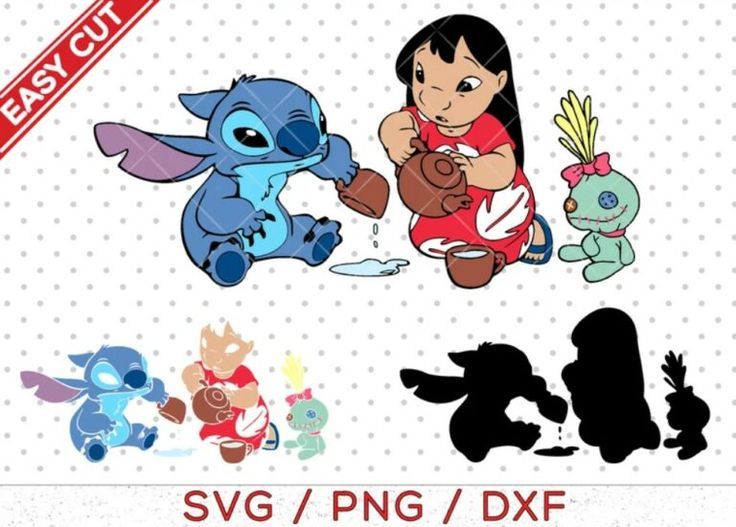
Lilo and Stich SVG: Bring a Little Island Magic to Your Craft Projects
Quick Answers
It works with Cricut Maker, Cricut Explore, Cricut Joy, Silhouette Cameo, and Brother ScanNCut. Just import the SVG into your machine's software and you're ready to cut.
You can use Cricut Design Space, Silhouette Studio, Adobe Illustrator, or Inkscape. The SVG and DXF files are ready for cutting, while the PNG and JPG are great for printing.
Yes, the SVG, EPS, and DXF files are vector formats, so you can scale them up or down without losing quality. The PNG and JPG are high-resolution raster files.
It's perfect for custom t-shirts, personalized tumblers and mugs, home decor signs, handmade cards, tote bags, and party decorations. Let your creativity run wild!
Yes, the PNG has a transparent background, making it easy to layer over other designs. The JPG comes with a solid background.
Looking for more ideas? Explore our Stitch collection
Perfect For
- Making a personalized t-shirt that feels like a warm hug.
- Creating a tumbler or mug that brings a smile to your morning coffee.
- Adding a touch of island magic to a nursery or kids' room sign.
- Crafting handmade cards that feel extra special.
- Designing party decorations that make the celebration unforgettable.
Key Features
- Compatible with Cricut Maker, Cricut Explore, Cricut Joy, Silhouette Cameo, and Brother ScanNCut.
- Includes SVG, EPS, DXF, PNG, and JPG files for cutting, printing, and more.
- Perfect for custom t-shirts, tumblers, home decor, cards, tote bags, and party decorations.
- Beginner-friendly design that's easy to use in Cricut Design Space, Silhouette Studio, Adobe Illustrator, or Inkscape.
What's Included
You'll receive five files in total: SVG, EPS, DXF, PNG, and JPG, giving you plenty of options for your cutting machine or design software.
- 5 files, delivered in one ZIP folder
- Formats: SVG, EPS, DXF, PNG, JPG
Specifications
| Recommended materials | adhesive vinyl heat transfer vinyl (HTV) cardstock iron-on |
|---|---|
| Cutting mat size | 12" x 12" standard mat |
Pairs beautifully with Lilo and Stich SVG
How to Download & Unzip Your Files
- Download the ZIP file from your order page or My Account › Downloads. A computer makes the next steps easiest.
- Unzip it. Windows: right-click the file › Extract All. Mac: double-click the file. iPhone/iPad: open it in the Files app and tap it. Android: open it with Files by Google › Extract.
- Upload the file you need into your design software, then size it for your project and start creating!
License
| You're welcome to | Please don't |
|---|---|
| Use the design for your personal projects and gifts | Resell, share or give away the digital files |
| Sell finished handmade items (shirts, tumblers, signs…) in your small business | Upload the files to print-on-demand or file-sharing marketplaces |
| Resize and recolor the design to fit your project | Claim the design as your own artwork |
Questions about a bigger project? Email us at [email protected] and we'll gladly help.
Instant Digital Download
Instant digital download. Your files are ready the moment your payment is complete. You'll find them on the thank-you page, in your confirmation email and anytime in My Account › Downloads. This is a digital product, so nothing will be shipped. Colors may look slightly different from screen to screen and printer to printer.
See also: Lilo and Stich SVG
Custom Vouge is an independent shop and is not affiliated with, endorsed by or sponsored by Stitch, Lilo, Lilo and Stich. All trademarks and characters belong to their respective owners and are mentioned for descriptive purposes only.
Need a hand?
We're here to help! Email us at [email protected] and we'll get back to you within 24 hours.
Email our teamThank You for Creating With Us
We'd love to hear how your project turned out! Leave a review and let us know what you made.
Reviews
There are no reviews yet.